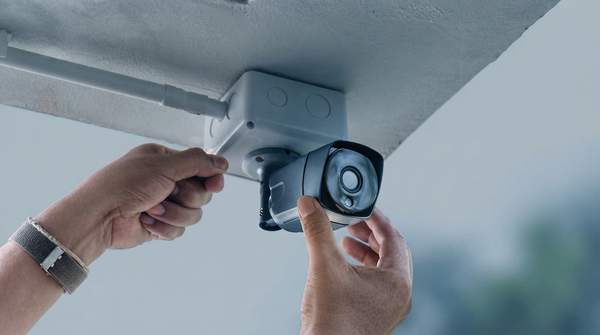
The "wired vs. wireless" label on a security camera box tells you less than you think. What actually determines how a camera performs is two separate questions: how it gets power, and how it sends video. Once you separate those, the market resolves into three distinct configurations — wired Power over Ethernet (PoE) cameras, plug-in wireless cameras, and wire-free battery cameras — each with a clear set of trade-offs in installation, reliability, storage, and security.
Understanding Security Camera Types: Power and Data
Most of the confusion in this category comes from terminology. As Tapo's beginner guide puts it, "Wired and wireless describe how a camera sends video, not how it's powered." A camera can connect over Wi-Fi and still plug into a wall outlet; only battery or solar cameras skip cables entirely, which is why those are properly called "wire-free."
So the useful framework is a two-by-two of power and data. Power arrives through an Ethernet cable, a wall outlet, or a rechargeable battery. Data travels either over that same Ethernet cable or over Wi-Fi. Reolink's comparison guide notes that "wireless" actually covers two different setups — plug-in and battery — and that this distinction matters most for power: a plug-in Wi-Fi camera behaves like a wired camera from a power standpoint, while a wire-free camera behaves completely differently.
Wired (PoE) Cameras: Maximum Reliability and Security
PoE cameras use a single Cat5 or Cat6 Ethernet cable to deliver both power and data, as Reolink explains. Because that one cable carries everything, the camera draws continuous power and never needs charging, and its video travels over a stable, dedicated physical connection rather than shared Wi-Fi. Ajax Systems describes the result: a stable connection for both power supply and data transmission, ensuring consistent video quality and uninterrupted surveillance.
The price for that dependability is installation. Running Ethernet through walls or ceilings is involved work that often requires professional help, and once installed, the camera is not easily moved. Storage for wired systems typically pairs with a local NVR or DVR, which keeps footage on your own hardware rather than on someone else's servers.
Plug-in Wireless Cameras: Flexible Power, WiFi Data
A plug-in wireless camera splits the difference. It sends video over Wi-Fi, but it draws constant power from a nearby outlet — so you get flexible placement without battery maintenance. The catch is twofold: you need an electrical outlet within reach of the power cord, and your video quality and connection stability now depend entirely on your home network. SafeWise, in a guide by Cathy Habas, flags that poor Wi-Fi connections lower video quality and that Wi-Fi can be unstable.
Installation is genuinely easy — no cable runs, no electrician — and you can move the camera around the house or take it with you when you relocate. Storage, though, shifts toward cloud services, which usually carry a monthly fee.
Wire-free (Battery) Cameras: Ultimate Flexibility, Specific Trade-offs
Wire-free cameras run on rechargeable batteries, typically lasting 20 days to 6 months per charge according to Reolink, and can pair with a solar panel to stay topped up. That finite charge is the defining constraint: you must monitor battery levels through a mobile app and recharge on a schedule, and a dead battery is a blind spot in your coverage.
In exchange, you get placement freedom no other type matches. No outlet, no Ethernet run, no permanent cabling — which makes wire-free cameras the natural choice for spots like sheds, fences, or detached structures where running power would be impractical. Like plug-in models, they transmit over Wi-Fi and share its vulnerabilities, and they lean on the same subscription-based cloud storage.
Security Camera Comparison: Power, Data, and Practicality
The table below compares the three configurations across the six attributes that drive the decision. Read it by matching your constraint first — can you run cables? Is there an outlet nearby? — then your priority.
| Attribute | Wired (PoE) | Plug-in Wireless | Wire-free (Battery) |
|---|---|---|---|
| Power source | Continuous power through the Ethernet cable; no batteries to maintain | Continuous power from a nearby wall outlet | Rechargeable battery, roughly 20 days to 6 months per charge; optional solar panel |
| Data connection | Physical Ethernet cable — stable, dedicated connection | Wi-Fi — quality depends on signal strength and congestion | Wi-Fi — same signal dependencies as plug-in models |
| Installation difficulty | Involved; often needs professional help to run cables through walls | Easy; mount near an outlet | Easiest; mount anywhere within Wi-Fi range |
| Connection reliability | High — consistent video quality, no charging | Good, but tied to Wi-Fi stability | Good, but tied to Wi-Fi stability and battery level |
| Typical storage method | Local NVR or DVR on your own hardware | Cloud storage, commonly subscription-based (around $3–$10/month per Vivint's pricing table); microSD on some models | Cloud storage, commonly subscription-based; microSD on some models |
| Best for | Permanent installations and multi-camera setups where reliability is paramount | Homeowners and renters wanting continuous power with easy setup | Flexible or temporary placement, outbuildings, and spots without power |
Two qualifications keep this comparison honest. Wired reliability is contingent on the integrity of the physical cabling and the power grid — a cut cable or outage still takes the camera down. And wired security against remote hacking does not preclude physical tampering; it narrows the attack surface, not eliminates it.
Choosing the Right Camera for Your Home: Scenarios and Considerations
Applying the table to real situations is where the power-versus-data framework pays off. If you rent, wire-free or plug-in wireless cameras are the practical choice: no permanent cabling, easy installation, and SafeWise notes they're easy to take with you when you move. A plug-in model suits a spot with a convenient outlet; a wire-free model covers anywhere else.
If you own your home and want maximum reliability — say, a permanent multi-camera perimeter — PoE is the strongest fit. Reolink describes wired systems as best suited to permanent installations in homes and multi-camera setups, and the local NVR storage avoids recurring fees.
For a detached garage or shed, the decision hinges on infrastructure. If Ethernet and power already reach the building, a PoE camera gives you the most dependable coverage. If they don't, a wire-free camera — ideally paired with a solar panel to extend the time between charges — is often the only practical option, provided Wi-Fi signal reaches that far.
Security and Privacy: Understanding the Risks
The security trade-off between wired and wireless follows directly from the data connection. Vivint's comparison states it plainly: "Wired systems have minimal remote hacking risk since they require physical access. Wireless cameras connect to the internet and rely on secure networks." A wired camera's video never touches your Wi-Fi, so an attacker on your network can't reach it remotely; compromising the system means physically getting to the cable or recorder.
Wireless cameras — both plug-in and wire-free — live on your network, so their security is only as strong as your Wi-Fi. That means a strong router password, current firmware, and WPA2-or-better encryption become part of your security system, not just your network hygiene. SafeWise adds that internet-free options for wireless cameras are uncommon, so most wireless owners should also weigh the privacy implications of footage stored on company servers versus a local recorder under their own control.
Making Your Choice: A Secure Home Starts Here
Choose a camera system by prioritizing either maximum reliability and security (Wired/PoE), balanced flexibility and continuous power (Plug-in Wireless), or ultimate placement freedom with battery power (Wire-free). The decision is made when you have identified your primary need — reliability, flexibility, or portability — and matched it to a camera type, understanding its core trade-offs. Before you buy, check the two physical facts that determine which row of the table applies to you: whether you can run a cable to the mounting spot, and whether Wi-Fi signal and an outlet (or sunlight for a solar panel) reach it.
Sources
- Wired vs. Wireless Security Cameras: A Beginner's Guide — TAPO
- Wired vs Wireless Security Cameras: Which One to Choose — Reolink
- Types of surveillance cameras explained: wired vs. wireless — Ajax Systems
- Wireless vs. Wired Home Security Cameras: Which Is Best for You? — Vivint
- Wired vs. Wireless Security Cameras — SafeWise